




Whether you’re a seasoned songwriter, a drummer who doesn’t play piano, or a producer who never got music lessons as a kid — we’ve all been there: stuck, staring at a your DAW, unsure what direction to take your track.
Try these 3 cheat codes for breaking writers block and sparking new ideas with Notes 👇
Tip 1: Use ChatGPT to find inspirational chord progressions
Yup, we’re going there.
Rather than seeing ChatGPT as a sneaky way to pretend to be creative, try a mindset shift. Think of it as a personal writing assistant sitting in on your session.
Even if you know your major 7th from your minor 9th, it’s just another way to throw ideas around or get a starting point for your next progression.
Here’s how I recommend using ChatGPT: as a sounding board and tool for evolving your initial ideas.
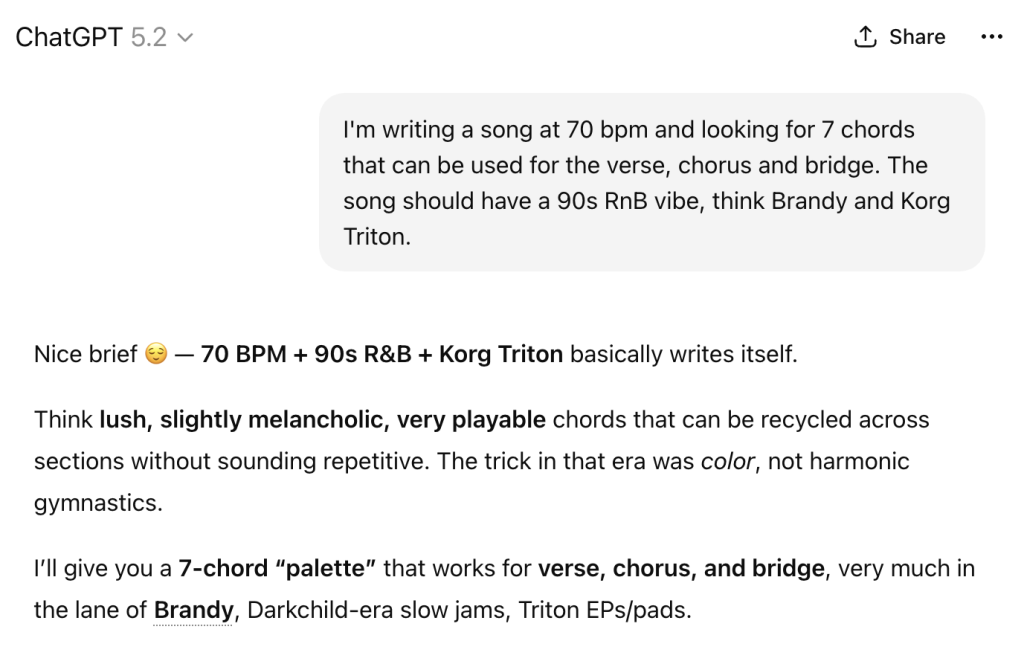
Say you’re working on a track and want that ’90s R&B vibe. You’ve already got your Korg Triton preset loaded up in Notes and you’re ready to put some chords together.
Try a prompt like this:
Now you can cut and paste the chords into The Lab. Preview the chords, try different voicings, add play styles, arrange however you want….it’s pretty limitless.
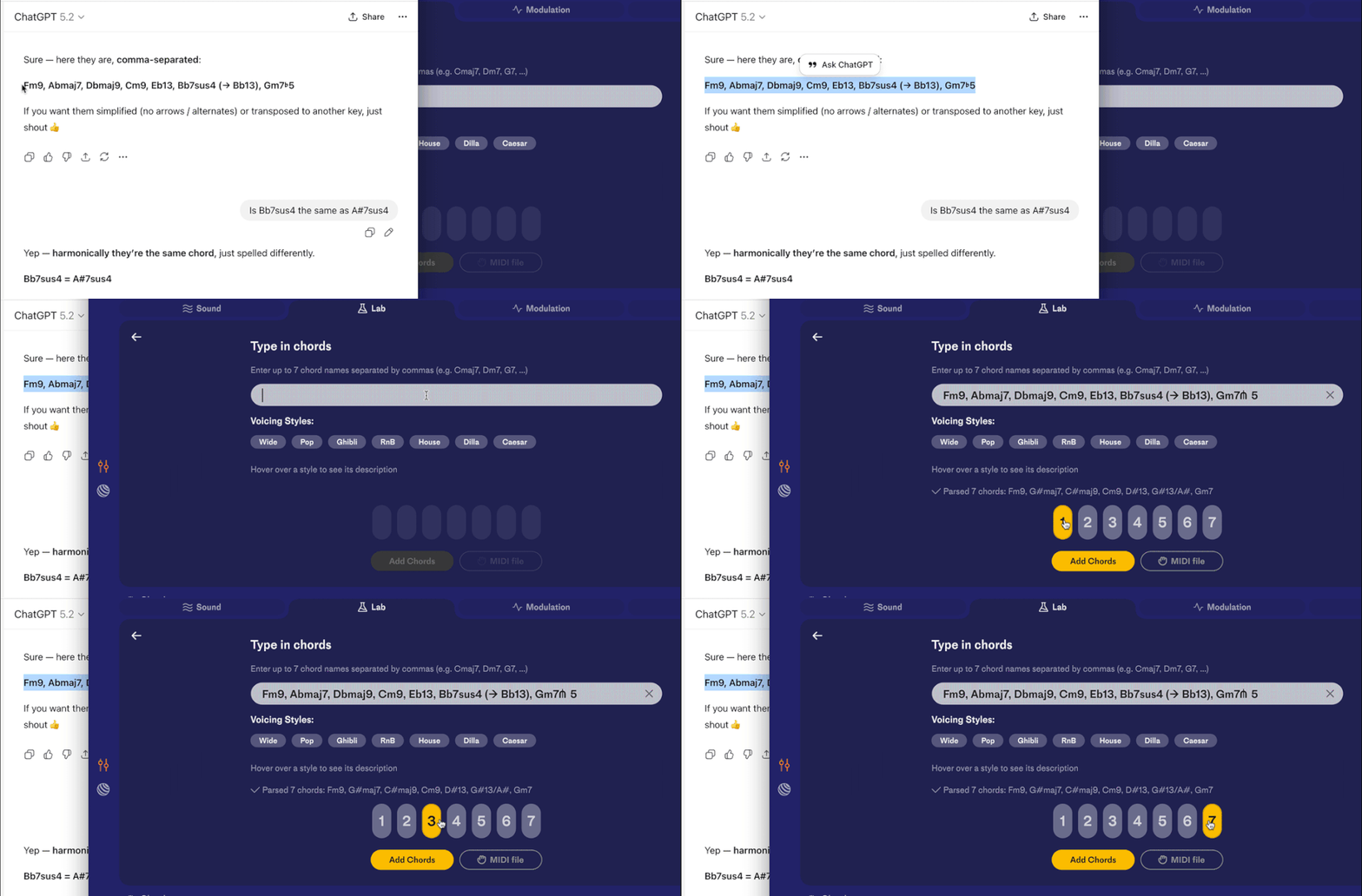
And remember, in Notes, you’re in control and you decided how to use the chords.
I’ve included the full prompt here and resulting progression:
https://chatgpt.com/share/696f883e-5b6c-8002-adac-76975b6e3c0d
Tip 2: You’ve found a loop on Splice, now what?
Everyone uses loops, right? They can be great song starters or to add some extra sauce to your track.
However, there is always this nagging feeling with loops; is this already being used in other tracks? If a fan clocks a familiar loop it can cheapen your music. Worst case scenario, it can trigger a copyright strike.
And sometimes you’re trying to make a loop or sample work that’s in another key from your session, and it just never feels right.
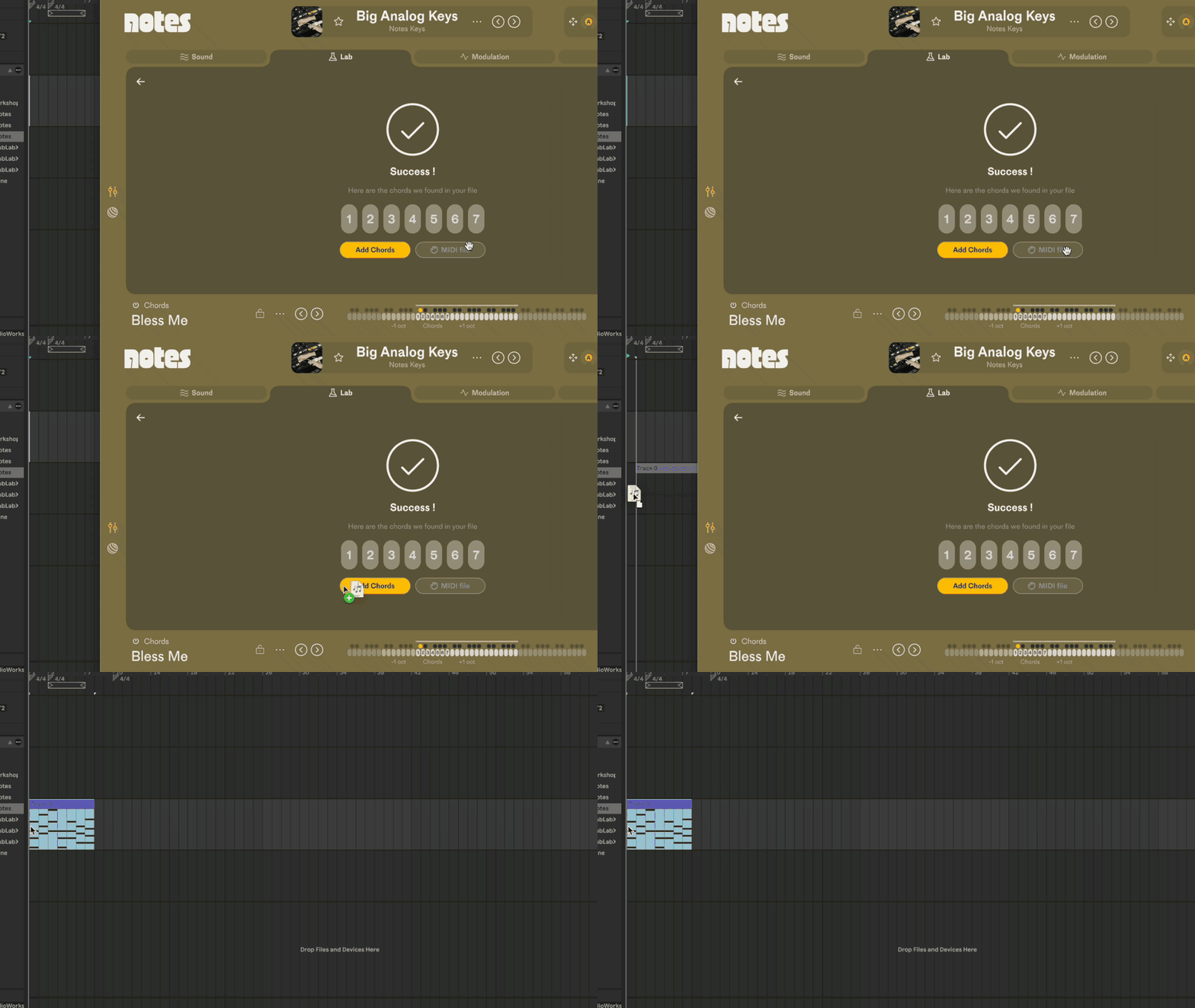
So why not try this: once you find a loop you like drop it into The Lab in Notes and it will detect the chords from your loop. You can switch up the chords with a totally different synth sound, play them in any key, and mix up the chords however you want.
Once you’ve got the chords from the loop loaded up in Notes you can then use the black keys to strum, arp, and add a play style.
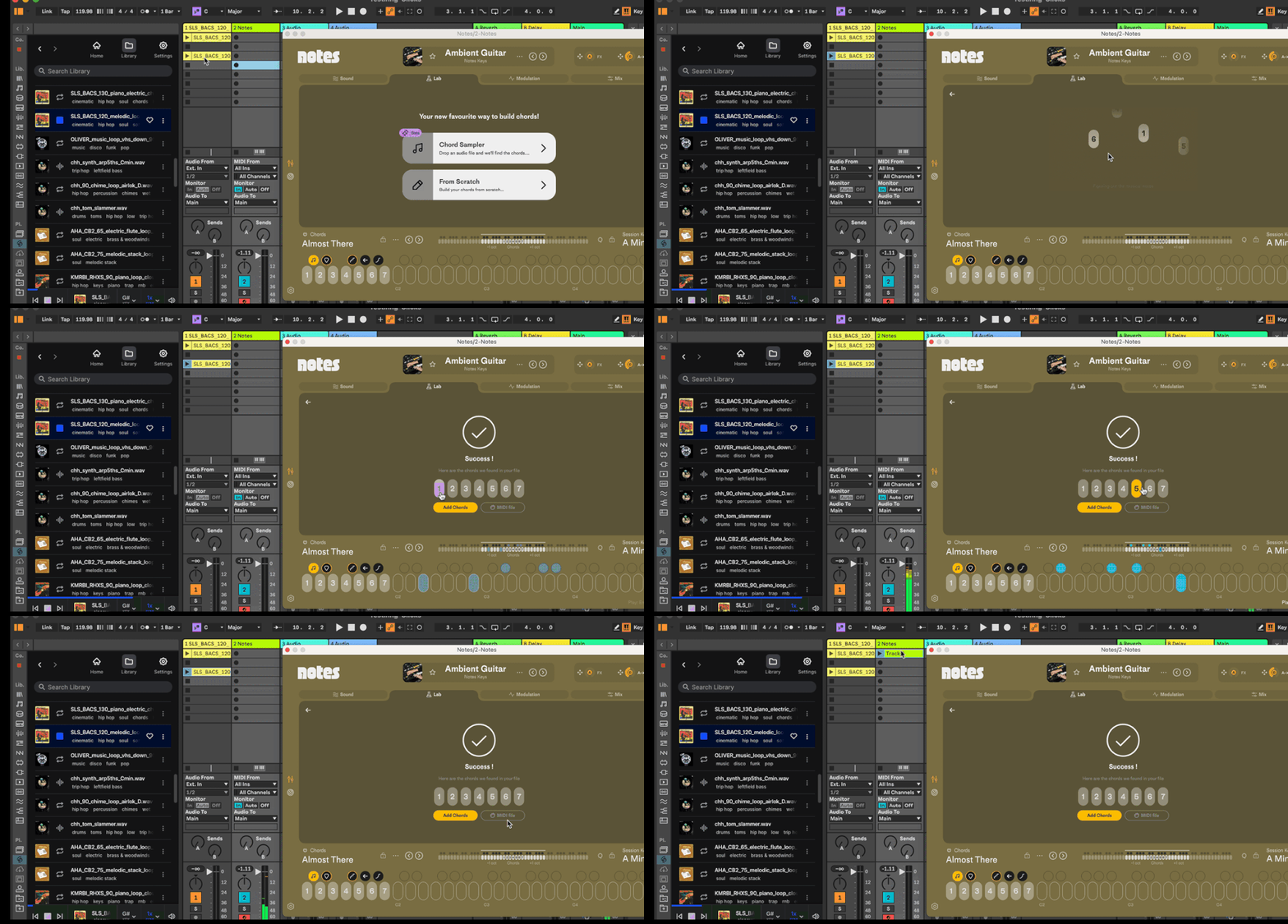
🧪 Pro Tip: You can also drag the MIDI chords out of Notes like this.
Tip 3: Chord progressions from social media
If you’re ever on Instagram, TikTok or YouTube you’ve probably seen short videos where people play chord progressions. Every genre and style, famous chord progressions — it’s all out there.
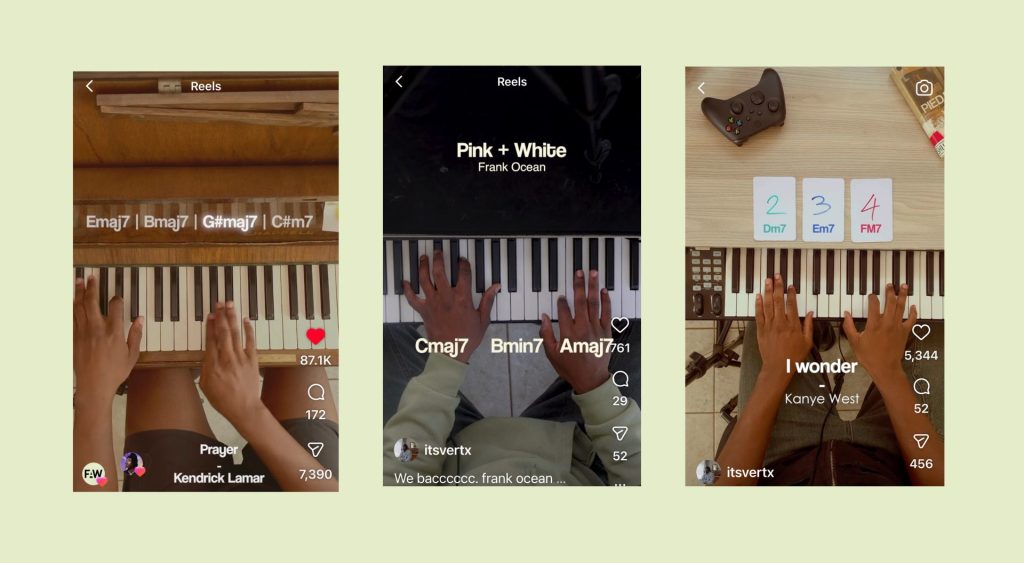
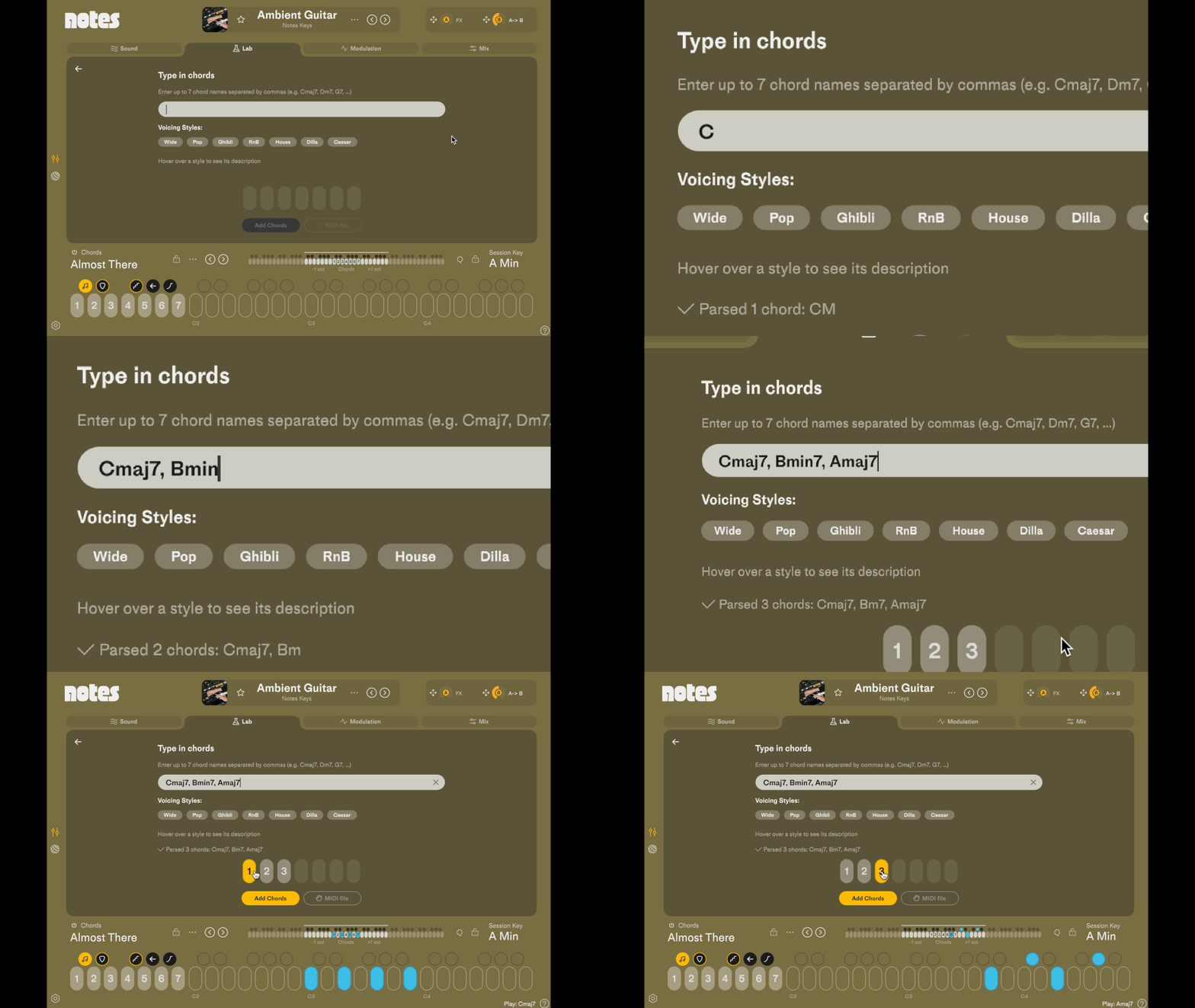
In Notes, all you have to do is go to The Lab and type in the chord progression. You can then try out different voicing styles like Wide, Pop, RnB, House and Dilla which can totally change the feel of the chords.
Experiment until you’ve something you like and now you’ve got yourself a new chord progression!
So there’s tons of ways to get creative with chords whether you’re already fluent in music theory or not. And Notes is geared up to get you out of the rut whenever you’re feeling uninspired or not sure where you want to go with your track.
Have fun and if you have any feedback on these features let us know on our Community Forum.
Illustration by Igor Sartori, 2026.
