








We’re back with a big update to Notes!
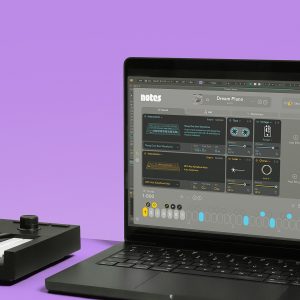
Get smart chord ideas in the genre and key of your track that work great as jump-off points when starting a song. Make them your own in a way that’s already familiar, thanks to the all-new DAW-aware Chord Editor.
Many of these updates started as requests on our forum, so thank you to our community for spending the time to tell us what you think and what would make Notes work better for you.
The new installers are ready to download inside your account now!
Login to Download💡 If you purchased from Plugin Boutique, you can also get the latest installers inside your FAW Account.
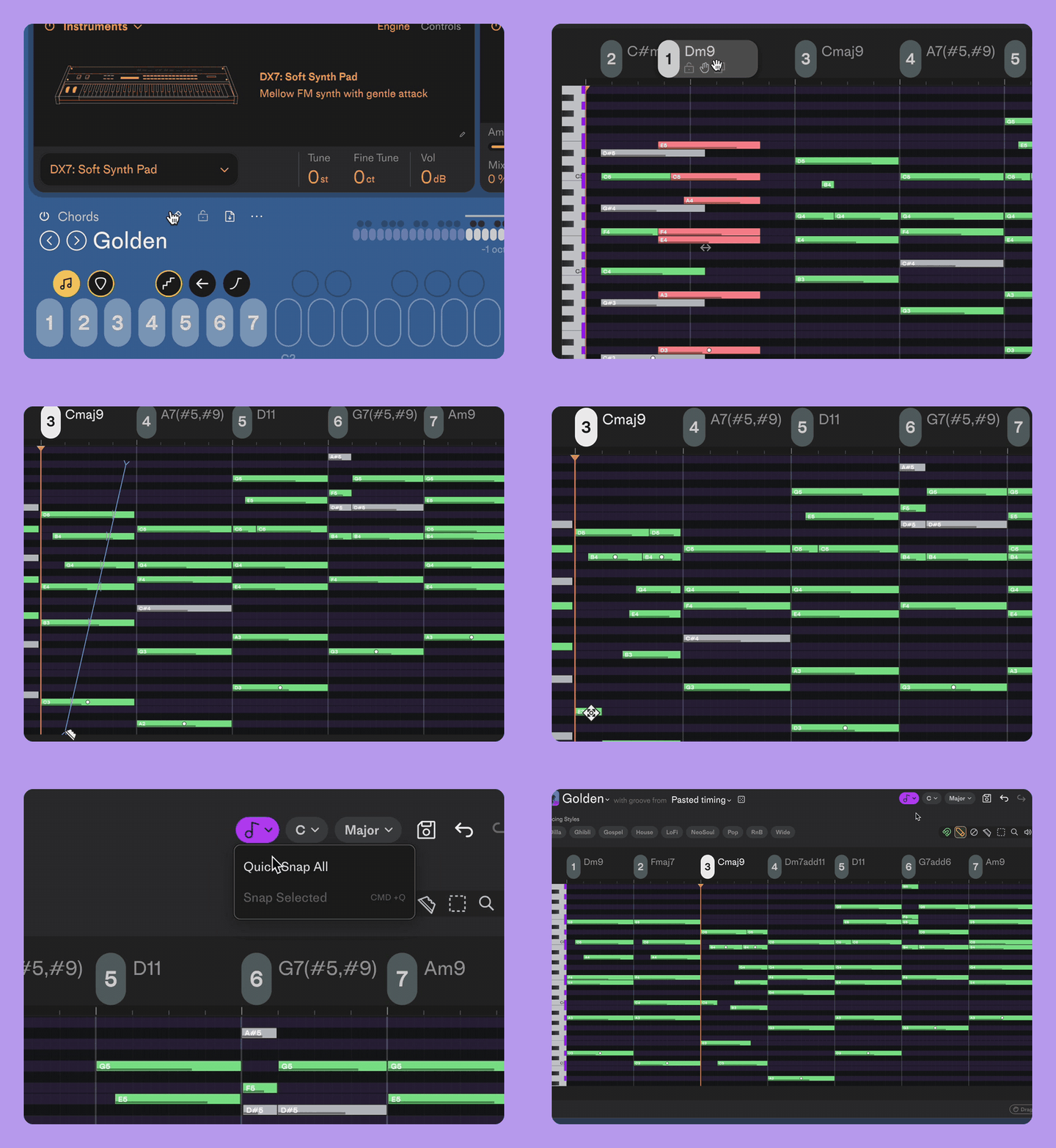
Meet the editor you already know how to use
Found a progression that’s almost right? Now you can take full control over every note in every chord.
Just click the pencil icon to expand the Chord Editor. The Chord Editor now detects your DAW (Ableton Live and FL Studio) and gives you the same editing tools and shortcuts. No need to learn a new workflow; just dive right in and start editing.
From there you can:
- Add or remove notes
- Change the timing of each note
- Create inversions of a chord by dragging the chord name left or right
- Transpose chords by dragging the chord name up or down
- Copy and paste the rhythm of one chord onto another
- Rearrange chords so you can play them on the white keys in any order you want
💡 Tip: Don’t be afraid to experiment here. Undo/redo works for multiple steps inside the Chord Editor, so you can try out new ideas and backtrack anytime.
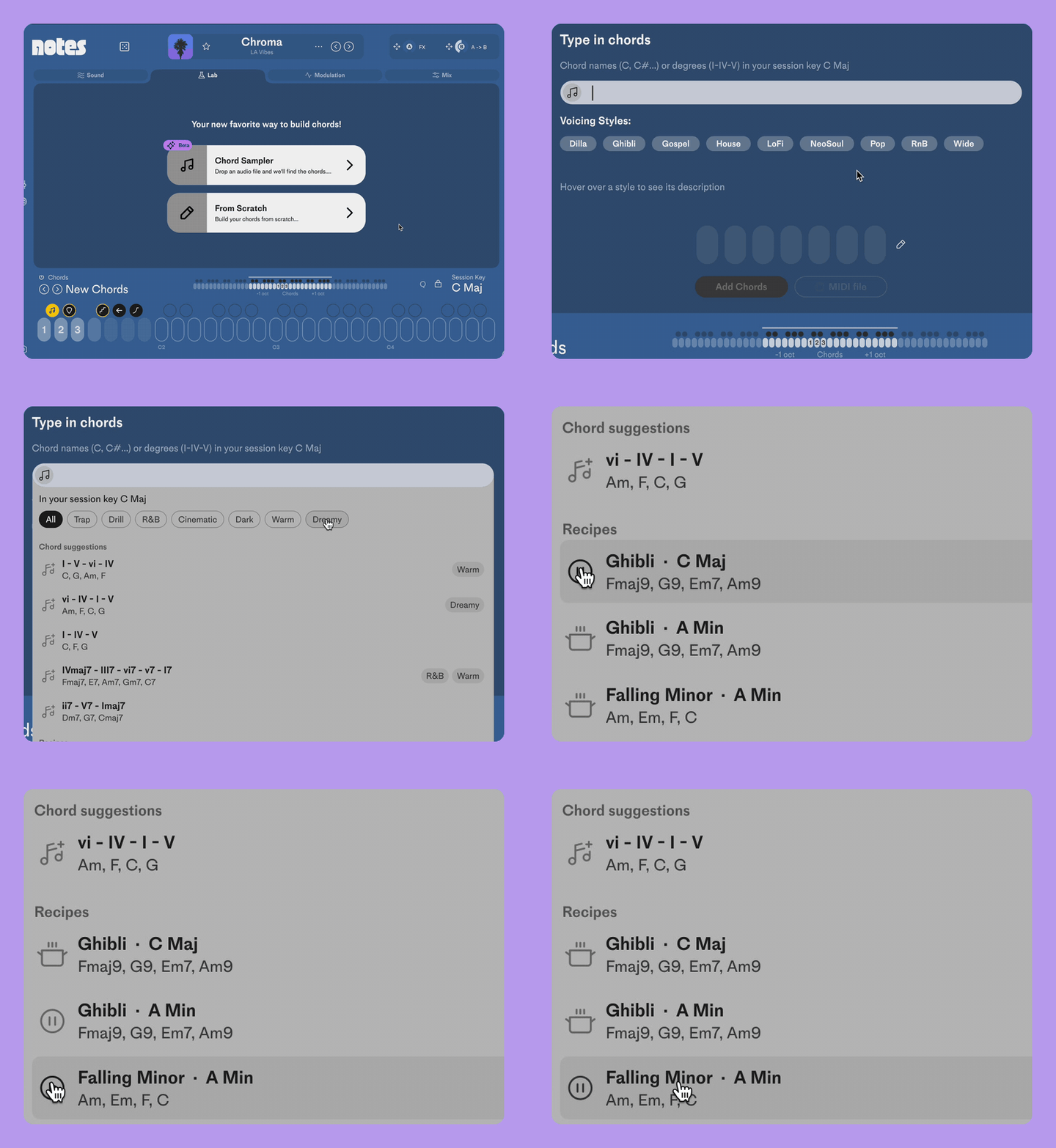
Start with a recipe and find the right chords for your track
The From Scratch page now suggests progressions in your session key. Pick a mood or genre, preview the chords, and keep the ones you want to work with.
From there you can apply voicing styles and open up the Chord Editor to fully customize your chords.
Chords that feel played, not programmed
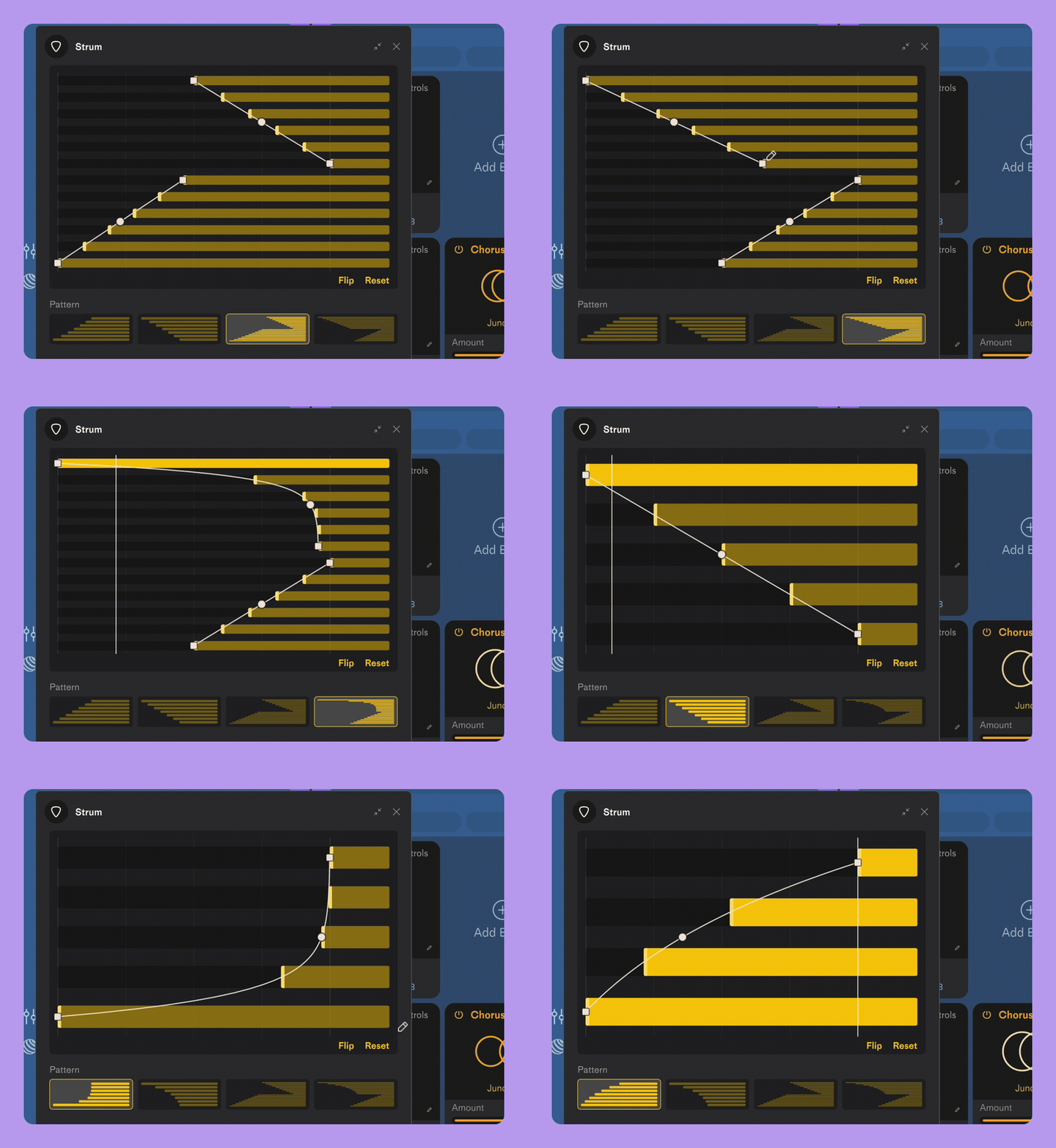
Turn block chords into realistic strums and piano runs. Click to expand the Strum transformer and choose a pattern.
Drag and sculpt the strum until it feels just right.
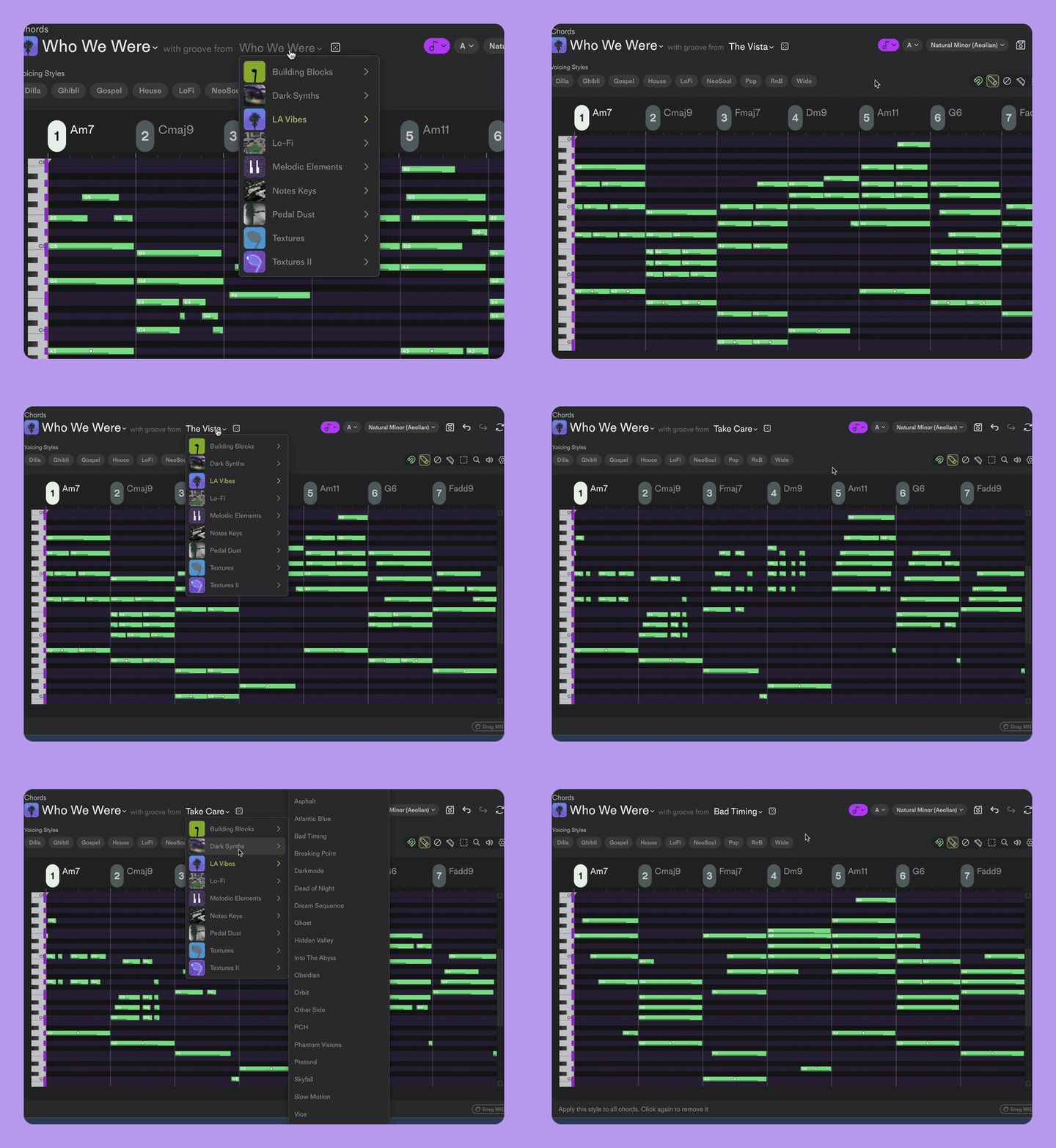
Borrow Grooves
Want the chords in one progression and the rhythm from another? Mix and match them inside the Chord Editor.
Click “with groove from” and choose another progression. Your chords stay the same, but they now play with a different groove.
It’s a super quick way to switch up any progression and take it somewhere completely different.
Roll the Dice
We’ve added two new randomize dice to Notes, so you can have more happy accidents.
Have a sound you like? Open the dice menu and swap out just the FX to change its character, or swap out just the instruments to get variations with a similar feel.
Want to keep the sound but try new chords? Randomize just the chords and keep everything else.
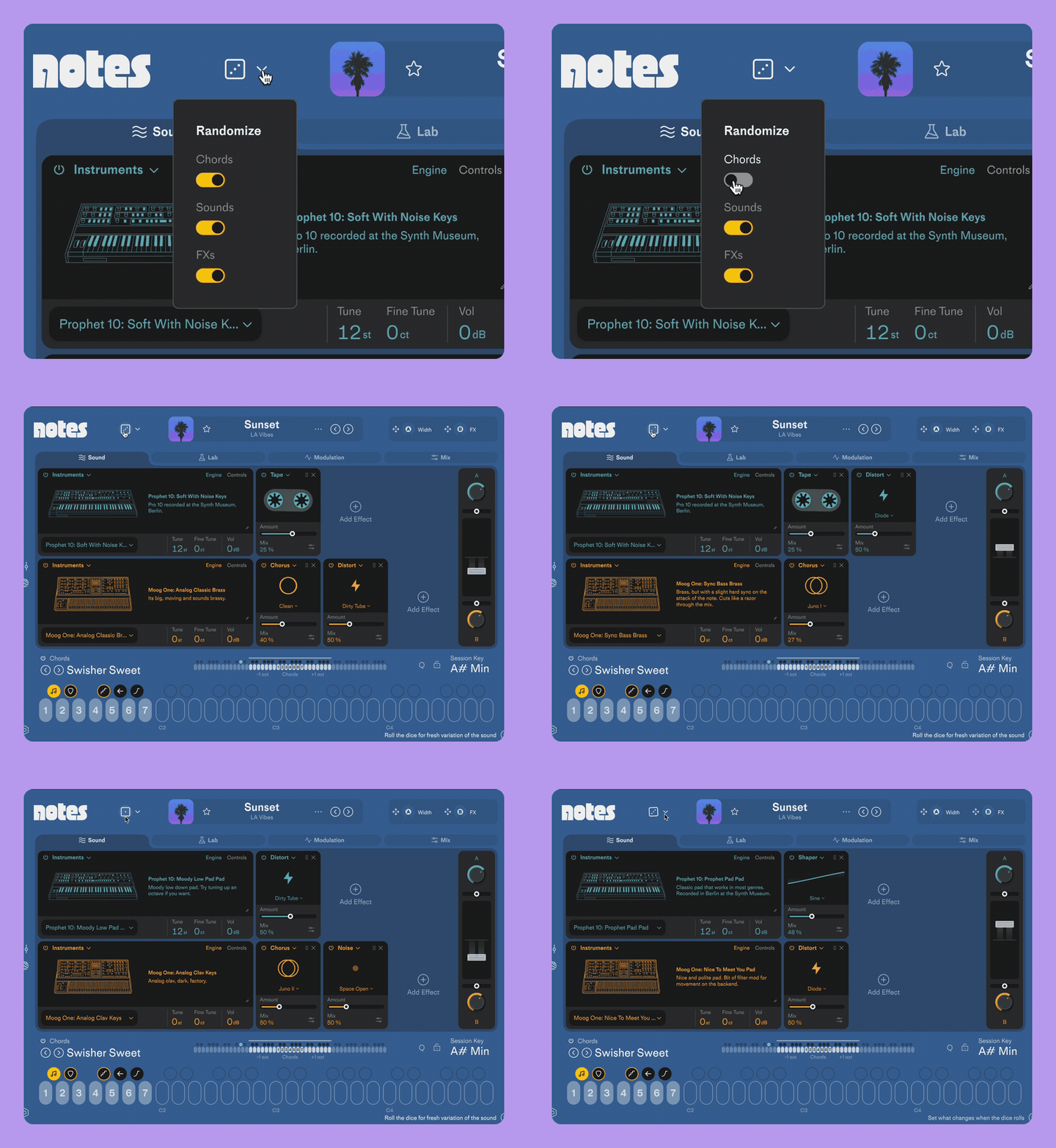
The second randomize dice are inside the Chord Editor and randomize the rhythm and voicings. You can lock individual chords so that each dice roll only affects the chords you want to switch up.
More additions requested by you
Every one of these changes came straight from requests on our Community Forum. Thanks again to everyone who took the time to post and share your feedback 🙏
Groove transformer sustain: notes can now sustain as long as you want while the Groove transformer is latched. The last notes will continue to play instead of cutting off. This is a setting you can toggle on/off, just hover over the Groove transformer then click the three dots to expand the menu.
Latch for Ramp & Reverse: Switch on latch, and the Ramp and Reverse transformers now stay engaged. This is a setting you can toggle on/off, just hover over the transformer icons and click the three dots to expand the menu.
Snap to scale: Inside the Chord Editor, you can snap all the notes or selected notes to your scale of choice. Just click the little music note icon at the top.
More organized imports: Imported MIDI files and samples now save to separate folders, so your library stays organized.
Improvements & Bug Fixes
- new: multi-step undo/redo in the Chord Editor
- new: pack artwork shows next to the palette name in the Chord Editor
- new: latch mode for the Ramp and Reverse transformers
- new: Groove transformer now has sustain mode, to hold down notes as long as you want
- new: DAW detection inside the Chord Editor; tooltips and key commands detect and adapt to the DAW you’re using (Ableton Live and FL Studio)
- new: import of Serum 2, Decent Sampler and S.K.Y. Keys instruments
- new: chord suggestions on the From Scratch page, based on the session key, plus mood and style-based Recipes
- new: chord editing piano roll; move and add notes, and scale quantize keeps your edits in key
- new: drag chords to rearrange them between slots (1-7)
- new: copy and paste groove timing between chords in the Chord Editor
- new: preview instruments with the up/down arrow keys or by hovering
- new: preview Chord Suggestions and Recipes
- improved: Strum transformer now has a full edit mode
- improved: CPU improvements, so Notes runs much lighter
- improved: grab MIDI file button moved in Chord Editor, giving the piano roll more room
- improved: display and editing of MIDI notes and the playhead in the Chord Editor
- improved: randomize dice shows different faces as it rolls
- improved: faster plugin launch and a smaller plugin file
- improved: interface performance, plus lots of smaller interface fixes
- improved: activation error messages now link straight to the activation reset form
- fixed: changing a chord’s timing in the Groove transformer popup menu now applies correctly
- fixed: delay and reverb tails no longer carry over when you change presets
- fixed: LFO waveform display
- fixed: the palette menu now highlights the loaded palette
- fixed: crash when previewing sounds with a mono audio output (e.g. a Bluetooth headset in call mode)
- fixed: Instrument engine producing no sound when the Synth engine was in mono voice mode
- fixed: glide and a click when the Synth engine was in mono voice mode
- fixed: CPU spikes from the Soft Plate vintage effect
If you need any help you can reach out to FAW Support in our Help Center.
If you’ve got a feature request or found a bug, join the discussion on our Community Page.