




Our latest Notes update features the most advanced chord detection on the market, plus import your external instruments, and more. Before we get into the details, here’s how to download the update.
From FAW:
If you purchased Notes directly from our online shop, you can login to your FAW Account and access the latest installers under the downloads tab.
From Plugin Boutique:
We’ve posted the latest installers for you here.
The new installers will be added to your Plugin Boutique account soon, check there in a few days.
New: Our Most Advanced Chord Detection
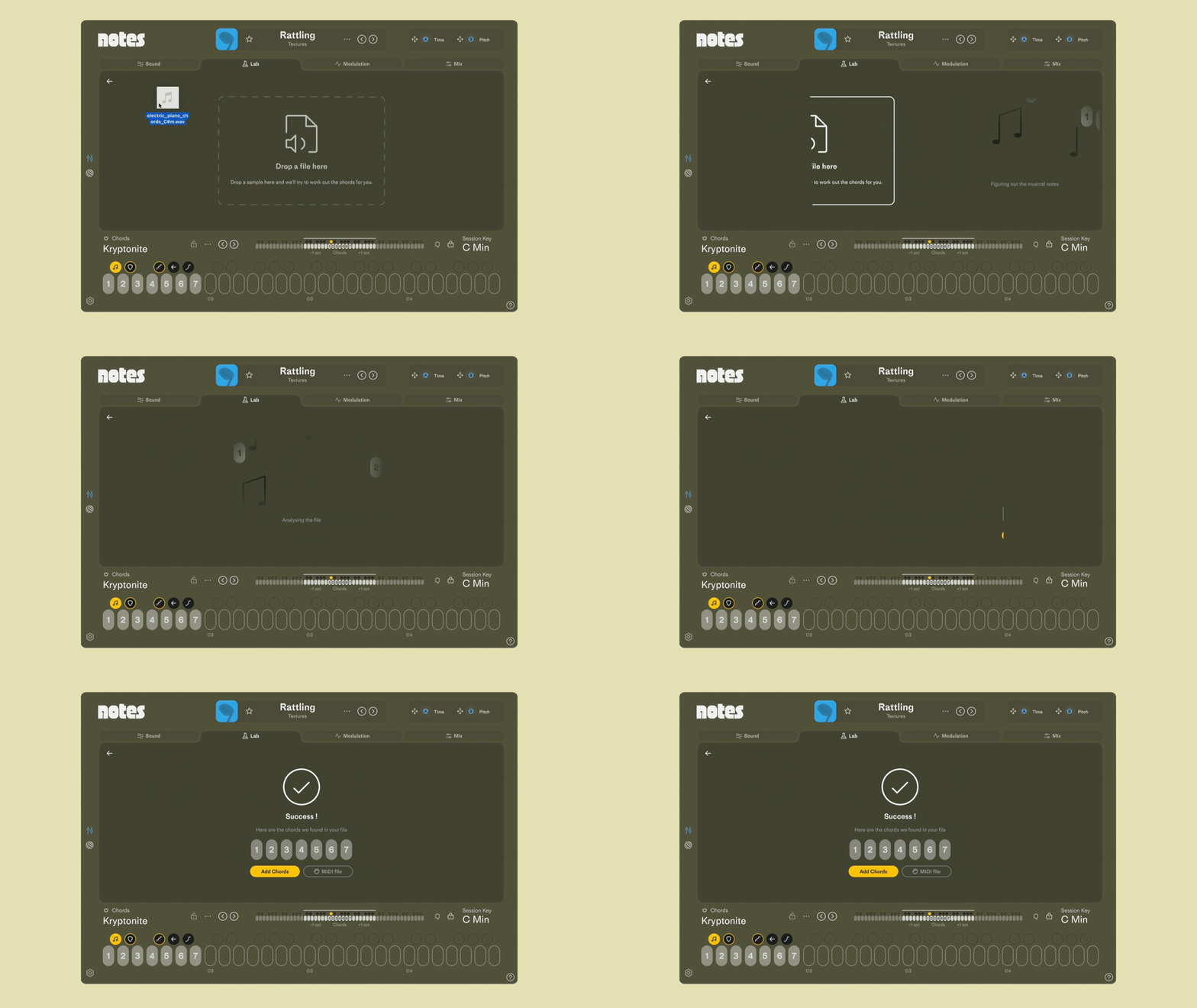
With the latest update, we put our Chord Sampler head-to-head against Logic’s chord detection and Notes came out on top.
Drag in any loop or sample to detect the chords — even complex jazz harmonies. Play them instantly in any key, with any sound you want.
New: Bring Your Own Sounds
Import SoundFont (SFZ) and Decent Sampler instruments to expand Notes’ sound palette.
Use your personal library or explore the huge range of free instruments available online.
Here’s how to import your sounds:
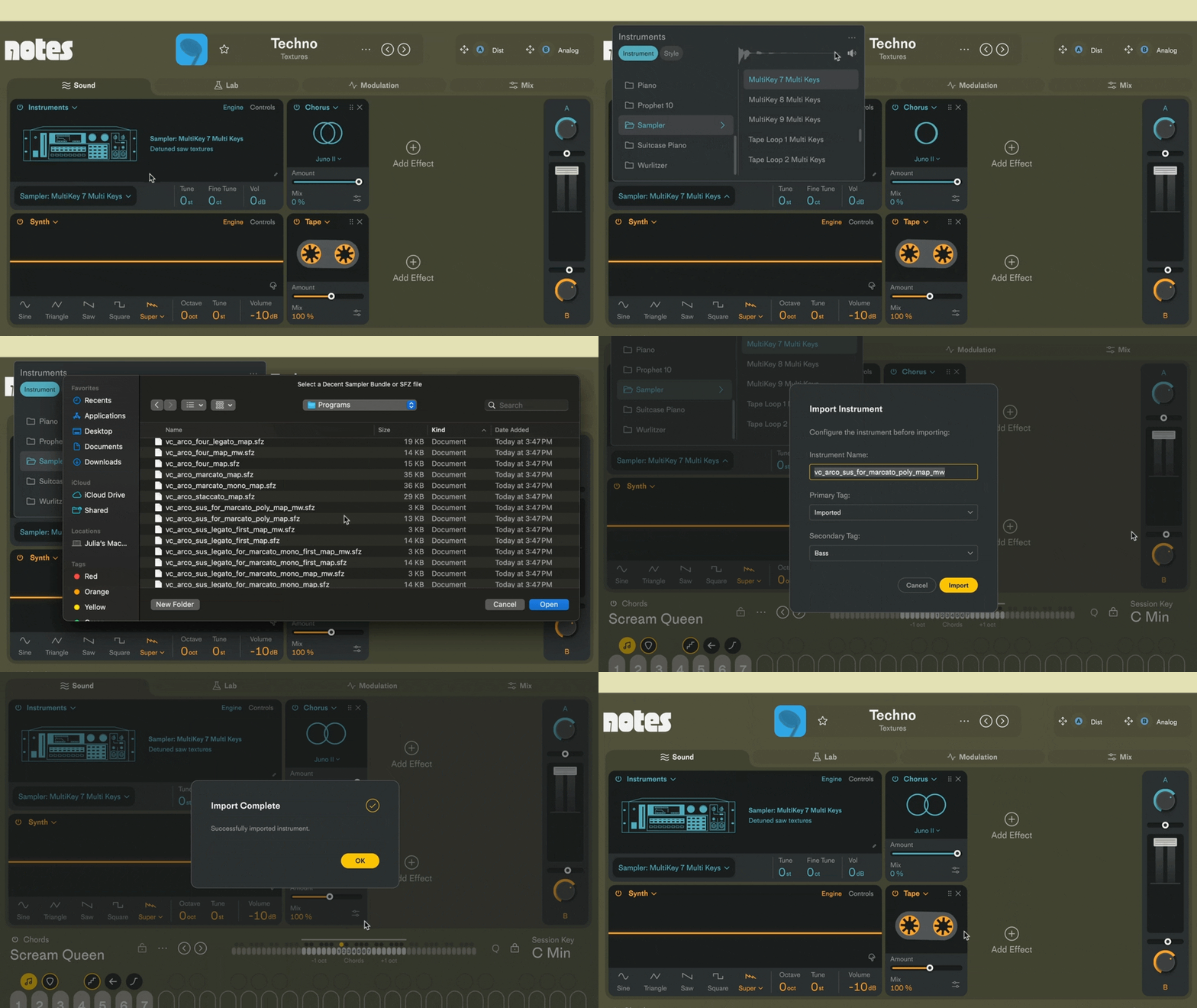
Notes can import .sfz, .dsbundle, and .dspreset files. For more details and step by step instructions, check out our support doc here.
Improvements & Bug Fixes.
- improved: chord detection including complex harmonies
- added: import of Decent Sampler and SFZ files
- added: Sound Design Mode, when enabled you can edit and map your own instruments (still being developed)
- added: pack export, renaming, etc.
- improved: processor usage across DSP modules and fixed issues with high processor usage in the Vintage insert effect on certain processors
- fixed: crash when opening and closing the interface while an instrument is loading
- various optimizations
Have a question or need some help? Reach out to FAW Support and we’ll help you out.
If you’ve got a feature request or come across any bugs, join the discussion on our Community Page.
