







Get the sound of the legendary JP-8000 supersaw with one click, find presets faster, drag and drop pack imports, and a SubLab XL that’s all around faster and smoother.
The new installers are ready to download inside your account now!
Login to Download💡 If you purchased from Plugin Boutique, you can also get the latest installers inside your FAW Account.
The supersaw sound of the 90s and 2000s in one click
In 1997, Roland released the JP-8000, one of the first “virtual analog” synths: a digital synth built to sound and feel like the classic analog ones.
It featured a new kind of oscillator called the Super Saw. Instead of one sawtooth wave, it stacked seven: one in tune, and six detuned around it. And it had just two controls: Detune and Mix.
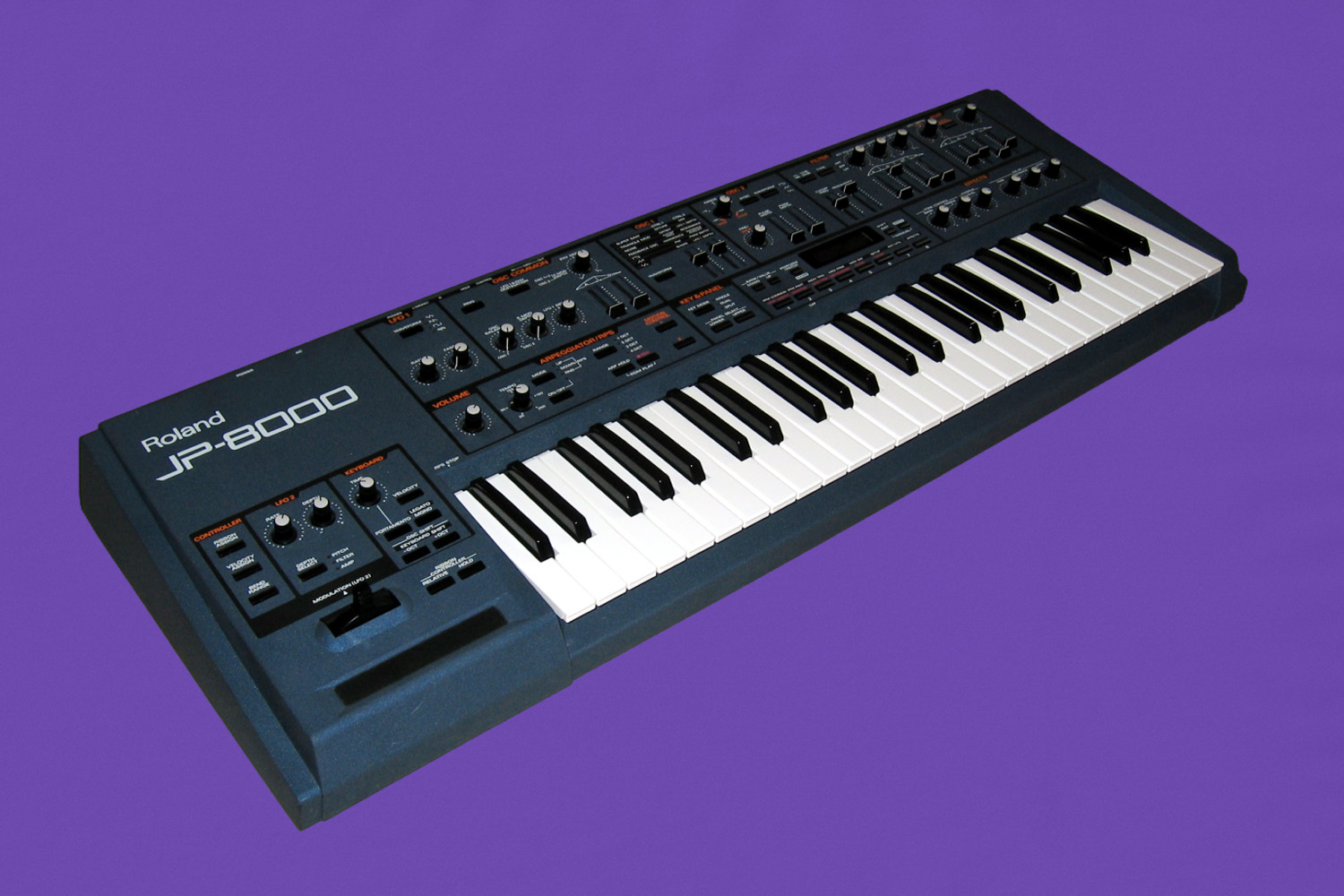
The Super Saw oscillator created a totally new, harmonically rich, shimmering sound that took over dance music through the late ’90s and 2000s. The sound that ruled clubs and festivals is now all over rage and hyperpop production.
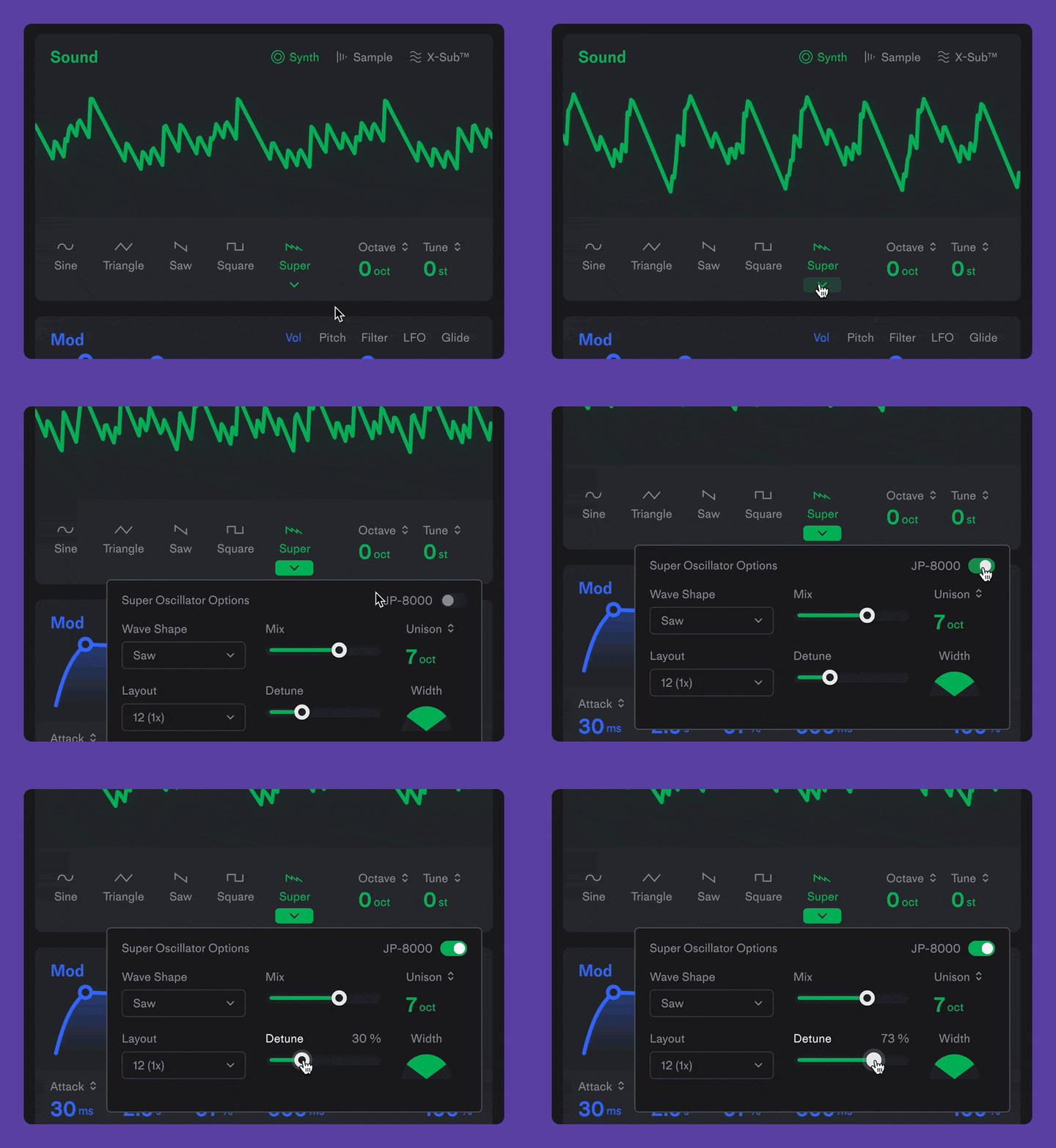
What was unique about the JP-8000 was its imperfections. Every note starts a little differently, which keeps the sound fluid and dynamic. And now you can achieve that original sound by flipping this switch inside the Super Oscillator.
Find the preset you want without the scrolling
With so many expansion packs out now, scrolling for the right sound can get old. Preset search was one of the most requested features on our Community Forum.
There’s a new search bar at the top of the preset browser. Just start typing, pull up the sound you want, and get straight back to your track.
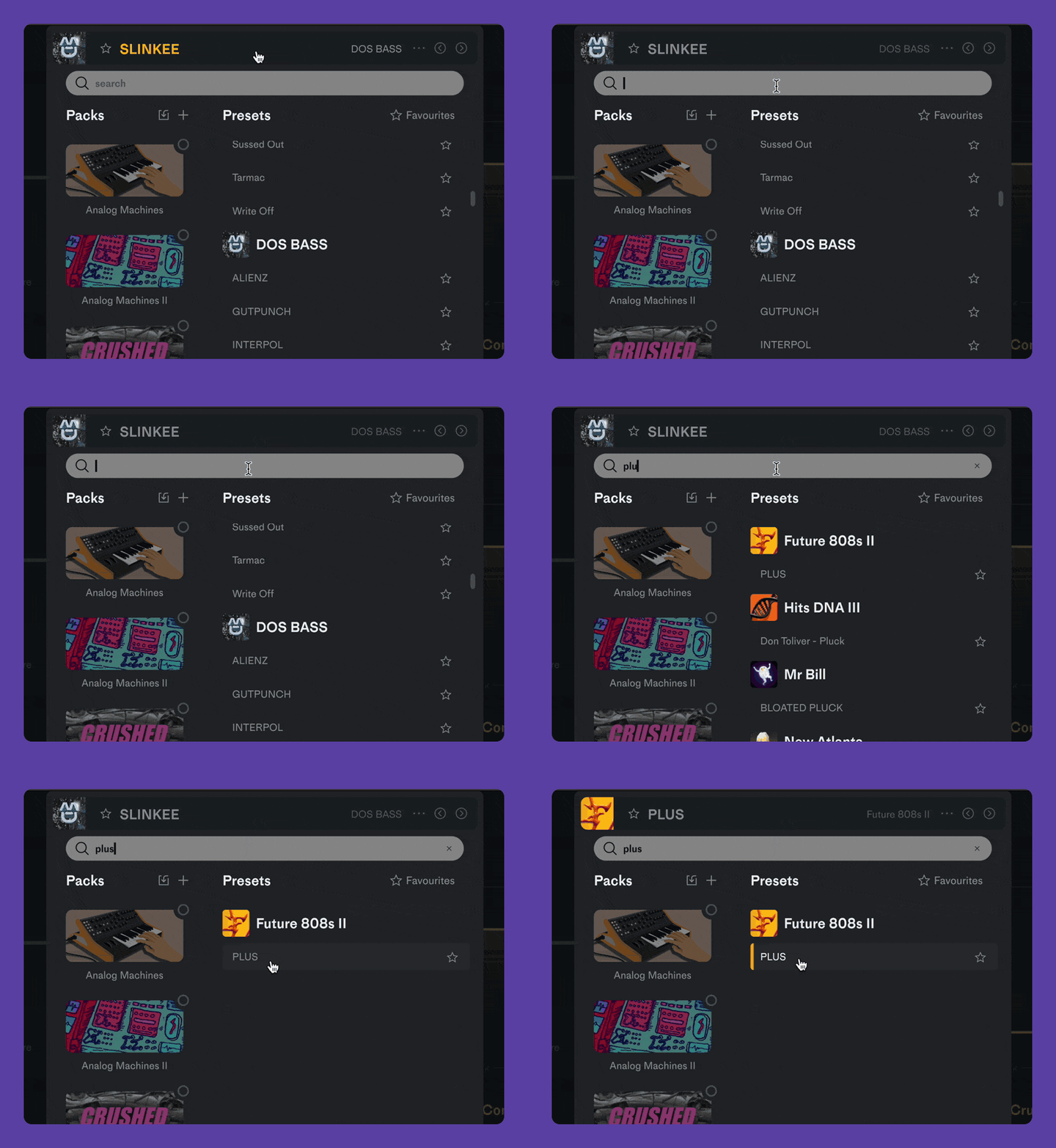
Hundreds of sounds, ready to play in seconds
Importing expansion packs one by one has gotten a bit time consuming. Now you can import as many packs as you want in one step.
Got the SubLab XL Pack Bundle? Download the .zip and just drop it right onto the preset browser. Every pack now imports at once.
It works for individual packs too ✅
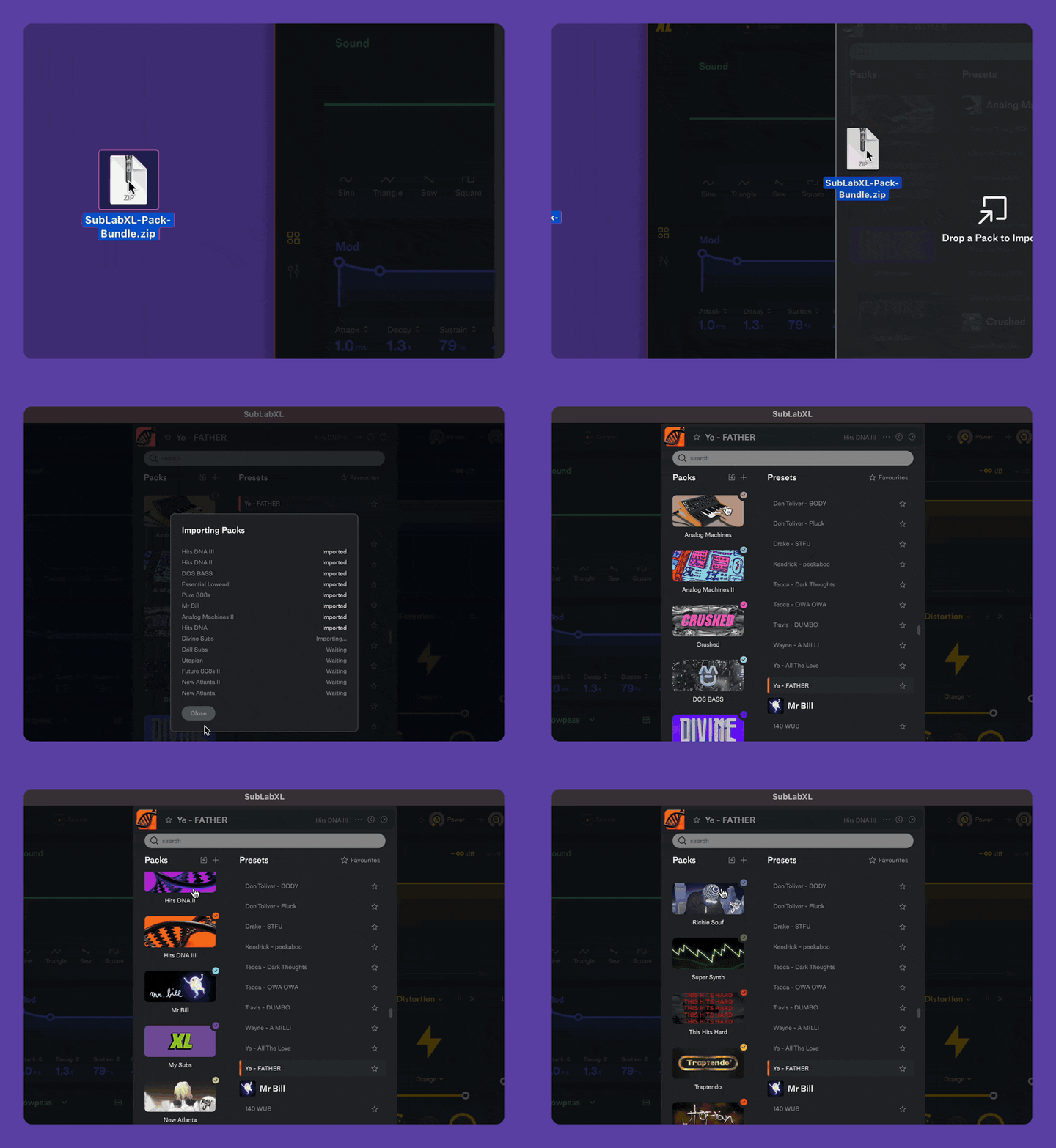
Faster, snappier, smoother everything
We went through SubLab XL from top to bottom to make it better all around.
- Faster preset loading. Presets now load almost instantly.
- A snappier interface. Every button and click is now quicker and smoother.
- Smoother preset changes. Cleaner sound while flipping through presets and loading new sounds.
Improvements & Bug Fixes
- new: JP-8000 mode for the Super oscillator, modeled on the original hardware, including a random start phase on every note
- new: preset search; find any preset by name with the search bar at the top of the preset browser
- new: drag and drop pack import; drop a pack, several packs or a whole bundle .zip onto the preset browser to import them all at once
- new: preview samples with the up/down arrow keys while the sample list is open
- new: Filter DC Fix, Declick Attack and Use Classic Macros switches inside Settings > Audio Settings
- improved: much faster preset loading
- improved: snappier, more responsive interface
- improved: switching presets while a note plays now fades out smoothly instead of cutting off
- improved: the first note after a preset change now sounds exactly like the new preset
- improved: cleaner filter at high resonance
- improved: smoother short sample attacks when “Only apply Decay of ADSR to Sampler” is on
- improved: the speaker icon now previews a sample without loading it or closing the list
- improved: LFO display and blob designer, now in line with Notes
- improved: activation window and messages, now in line with Notes
- improved: alert windows now use SubLab XL’s own fonts and scrollbars
- fixed: patch edits on macro-controlled knobs not saving and reloading correctly
- fixed: Phase Align Engines only taking effect after reloading the plugin
- fixed: crash when clicking a sample preview
- fixed: crash during offline renders in hosts without a playhead
- fixed: unactivated plugin passing audio through; now silent
- fixed: creak in the master limiter when moving its slider
If you need any help you can reach out to FAW Support in our Help Center.
If you’ve got a feature request or found a bug, join the discussion on our Community Page.